
Boost Profits with BOGO, Upsells, Cross-Sells, and Free Gifts
Turn everyday orders into a better buying experience. Set up BOGO deals, upsell and cross-sell offers, and add free gifts to reward loyal customers. These small touches, like BOGO makes your customer feel valued and give them a reason to come back.
FEATURES
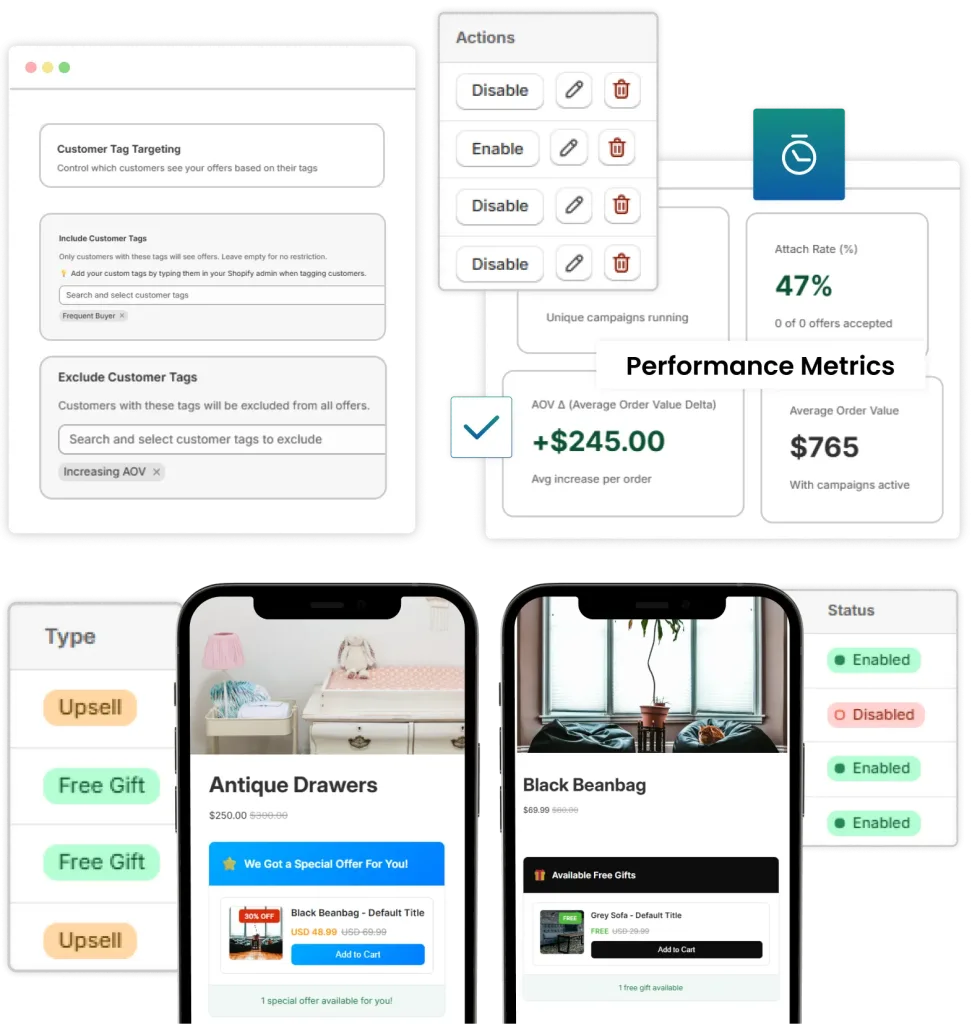
Advanced Features
Go beyond standard campaign setup with advanced features.
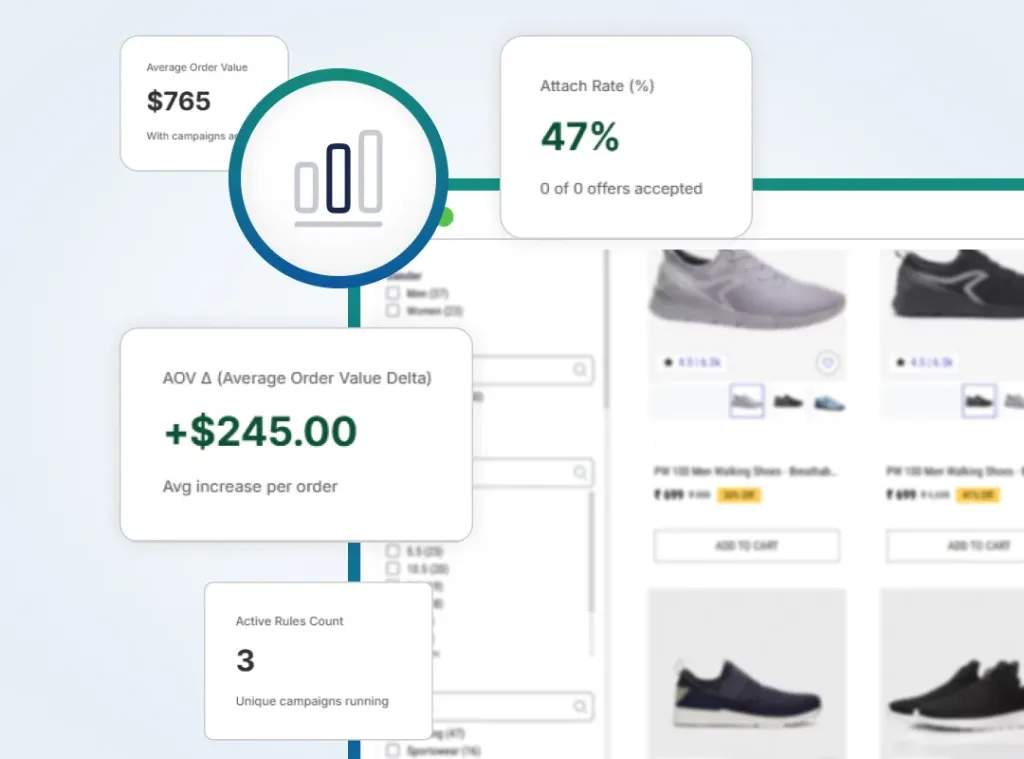
Analytics and Performance Metrics
Target specific customer groups usings tags and track detailed performance metrics to track how your campaigns are doing.
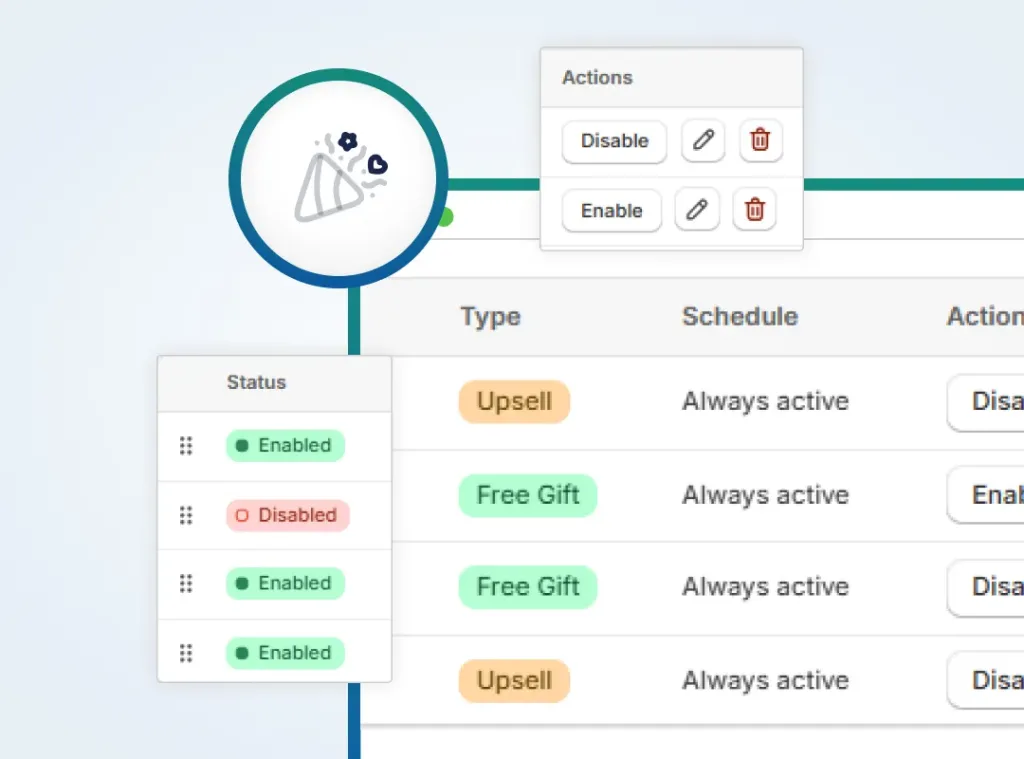
Multiple Campaign Handling
Manage all your campaigns from one central place. You can enable, disable and update campaigns whenever you need.
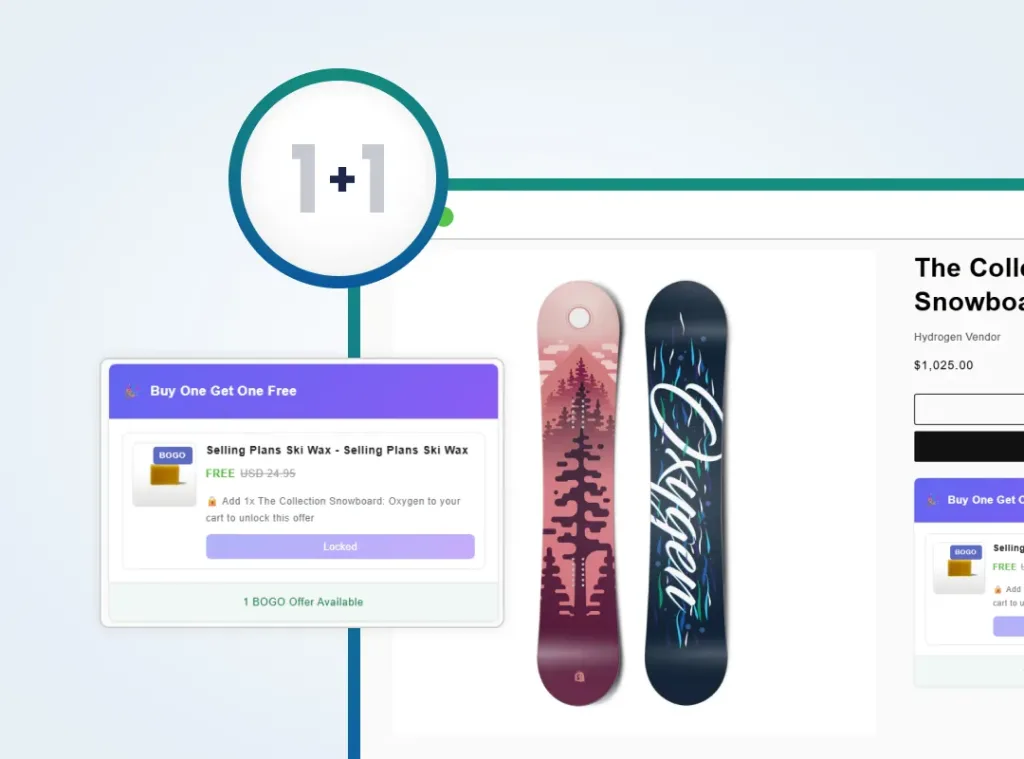
Create Buy One Get One Free Offers
BOGO feature in Upsell Fusion lets you set up buy-one-get-one offers for selected products. You choose the trigger product and the free or discounted item, and the offer applies automatically when the conditions are met.
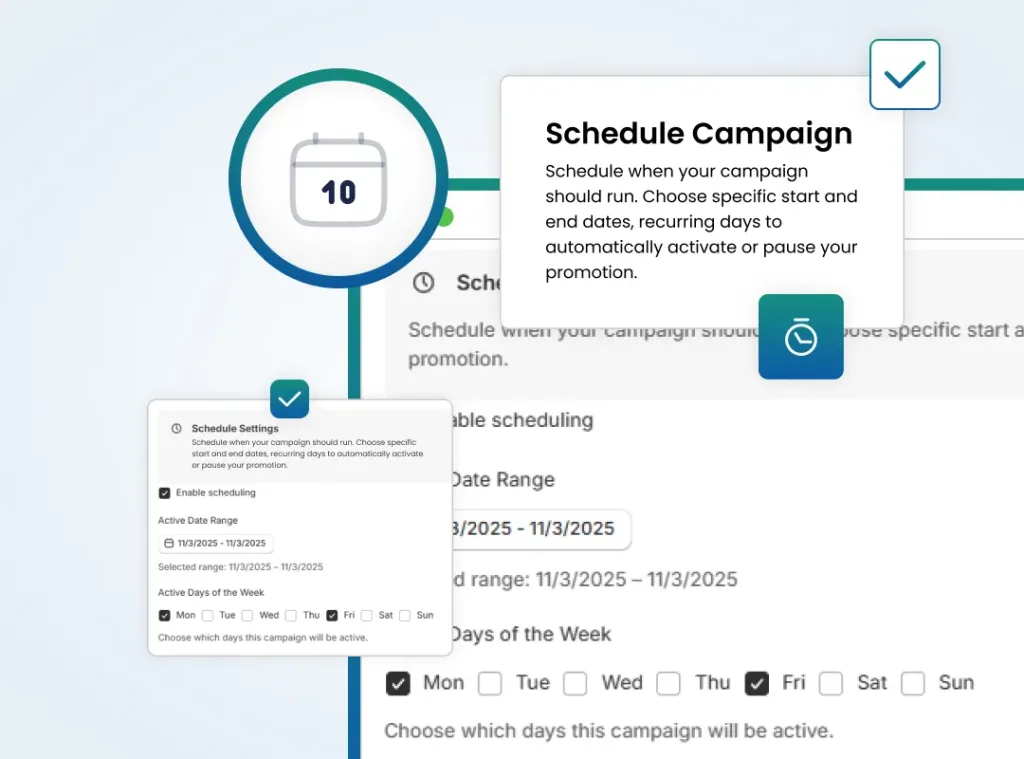
Schedule Campaigns
Schedule campaigns to run on specific dates and times. This makes it easy to plan seasonal promotions or limited-time offers.
Smart Features That Bring More Conversions
Use targeted upsell, cross-sell, and free-gift option to increase order value
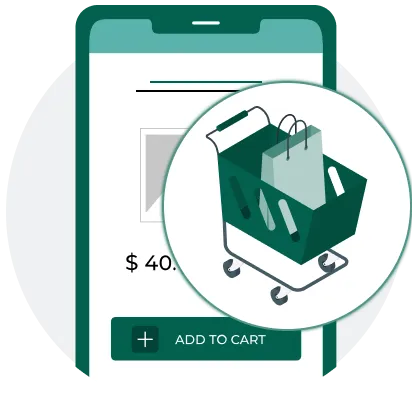
Auto Add Upsell
Automatically add an upsell product to the cart when a specific condition is met, such as reaching a set product quantity.
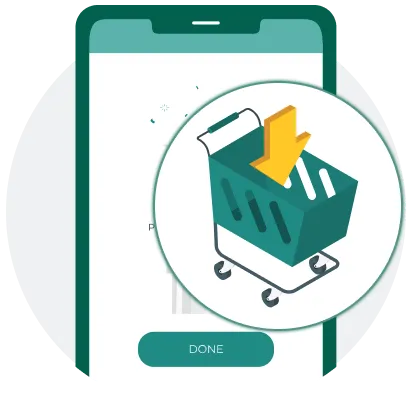
Cart Page Upsell
Display upsell offers right on the cart page so shoppers can add more items before they move to checkout.
Quantity-Based Upsell
Trigger upsell offers when customers add a specified number of targeted products to their cart. This will increase bulk purchases.
Set Fixed or Percentage Upsell Discounts
Apply flexible discounts to upsell products using either a fixed amount or a percentage to make the offer more appealing.
Auto Add Free Gift
Automatically add a free gift to the cart when your set conditions are met.
Quantity-Based Free Gifts
Easily offer free gifts when customers buy a specific quantity of selected products, encouraging multiple quantity of purchased item.
Tiered Pricing Free Gift
Reward customers based on how much they spend. For instance, offer one free gift for orders between $10 and $100, then increase the gift quantity for orders between $100 and $1,000.
Buy One Get One Free (BOGO)
BOGO feature in Upsell Fusion automatically adds an extra item to the cart when a customer buys a qualifying product.
Frequently asked questions
Everything you need to know about the product and billing.
CXS Upsell Fusion is an all-in-one Shopify upsell and cross-sell application designed to increase Average Order Value (AOV). It allows merchants to build, schedule, and manage high-converting promotions, including BOGO deals, post-purchase offers, product bundles, and free gifts, from a single dashboard.
CXS Upsell Fusion lets you create multiple Shopify promotion campaigns from a single dashboard.
- Post-Purchase Upsell & Cross-Sell – Show offers immediately after checkout.
- Cart Page Upsell – Promote add-ons before the customer completes purchase.
- Frequently Bought Together – Suggest complementary items as a bundle.
- Mix & Match Bundles – Let shoppers combine multiple products at a discount.
- BOGO (Buy One Get One Free) – Automatically add a free item when a specific product is purchased.
- Buy X Get Free Gift – Unlock a free product when a quantity or spend threshold is met.
- Spend X Get Free Gift – Trigger a free gift once cart value crosses a set amount.
- Cart Value Discounts – Apply automatic discounts based on total cart value.
These campaign types help increase Average Order Value (AOV), improve conversions, and encourage customers to purchase more in every order.
Yes. CXS Upsell Fusion includes campaign scheduling, allowing you to choose when a promotion starts and ends automatically.
Using the Schedule Campaigns feature to set exact start/end times, this makes it easy to prepare campaigns for Black Friday, Cyber Monday, Christmas, flash sales, product launches, or any seasonal marketing event without manual activation.
CXS Upsell Fusion makes it easy to manage multiple promotions from a single dashboard. To avoid overlapping offers, create campaigns with clear eligibility rules, such as specific products, collections, customer tags, or countries.
Before publishing, review your active campaigns to ensure the same products or customer segments aren’t unintentionally targeted by multiple promotions.
This helps deliver a consistent shopping experience while maximizing the effectiveness of each campaign.
Yes, CXS Upsell Fusion allows you to see funnel performance for your post-purchase upsells. The app includes a dedicated Analytics section that provides data-driven insights into how your campaigns are performing.
Specifically, the app’s analytics features include Funnel performance, which allows you to track how customers interact with your offers
CXS Upsell Fusion lets you display upsell offers at key touchpoints throughout the shopping journey, helping maximize visibility and conversions. Depending on your campaign type, offers can appear on the Product Page, Cart Page, and as one-click add-ons, allowing customers to easily add complementary or higher-value products before completing their purchase.
By presenting relevant offers at the right moment, you can create a smoother shopping experience while increasing Average Order Value (AOV).
Yes. CXS Upsell Fusion lets you customize the appearance of your upsell offers, bundle widgets, BOGO promotions, and free gift campaigns to match your store’s branding.
You can tailor the design to complement your Shopify theme, creating a consistent shopping experience that feels native to your store while helping build customer trust and improve conversions.
CXS Upsell Fusion is built for Shopify merchants of all sizes looking to increase store revenue without increasing ad spend. It includes a Free plan for up to 100 orders/month, making it ideal for new stores, while offering scalable Basic, Grow, and Advanced plans for high-volume brands. Shopify stores.
It supports up to 100 orders per month and 4 active campaigns, giving you access to essential features such as Product and Cart Upsells, Product Bundles, BOGO & Free Gift campaigns, Quantity Discounts, and Campaign Analytics.
It’s a great way to start increasing your Average Order Value (AOV) and test different promotional strategies before upgrading to a paid plan.
Yes. All paid plans – including Basic, Grow, and Advanced – include a 7-day free trial, so you can explore premium features before your first billing cycle.
Test advanced tools like Mix & Match Bundles, Collection Bundle Deals, BOGO offers, Quantity Discounts, Tiered Pricing, and Post-Purchase Upsells in your own Shopify store to see how they help increase conversions and Average Order Value (AOV).
CXS Upsell Fusion automatically displays offers when customers meet the conditions you’ve defined for a campaign. You can trigger promotions based on:
- Product and Cart Events – Show offers when customers view or add specific products to their cart, reach a minimum cart value, or meet a required purchase quantity.
- Post-Purchase Events – Display one-click upsell or cross-sell offers immediately after a customer completes checkout.
- Customer Targeting Rules – Personalize campaigns using customer tags or country-based targeting to deliver relevant offers to specific customer segments or regions.
These automated triggers help you present the right offer at the right time, improving conversions and increasing Average Order Value (AOV).
If you need assistance configuring advanced features or optimizing your campaigns, the CXS Upsell Fusion team is here to help.
You can access in-app guidance, explore the help documentation, or contact the support team via email or live chat for setup assistance, troubleshooting, and best-practice recommendations. Whether you’re creating your first BOGO campaign, configuring product bundles, or optimizing upsell strategies, help is available whenever you need it.

