

Whether you are a growing entrepreneur or a well-established business owner, integrating an order tracking system into your Shopify store can be a turning point for your business. It helps you enhance customer experience, reduce queries, improve transparency, gain a competitive advantage, and better market opportunities, especially during the BFCM rush.
Having an order tracking system offers multiple benefits for your online store, but you must implement one that is scalable and user-friendly to successfully improve your store’s purchase frequency and provide a smooth post-purchase experience.
In A Hurry? Here’s A Brief Summary…
- An order tracking system provides real-time delivery transparency, reduces customer stress, and builds immediate brand trust.
- Up to 50% of customer service inquiries are typically WISMO calls.
- Tracking system metrics help automate updates, dramatically cutting support ticket volume and operational costs.
- Customers who experience reliable, highly visible tracking are far more likely to return for future orders.
- Cycle-time statistics pinpoint exactly where delays occur, whether in the warehouse picking stage, carrier transit, or customs.
- Spotting and correcting delayed or lost orders early prevents costly chargebacks, refunds, and expensive last-minute shipping corrections.
- Placing a clear, dynamic “Expected Delivery: Thursday, Oct 15” at the top of the page stops users from filing speculative “Is it arriving on time?” tickets.
- Since most consumers check tracking on their phones while on the go, a highly responsive mobile UI stops users from abandoning the page to call a representative.
An order tracking system is essential for your business growth. But you need to implement a purchase order tracking system efficiently to provide a better post-purchase experience. Even, this can be your huge profitable marketing channel.
In fact, 54% of large-item shoppers avoid online purchases due to concerns over delivery.
In this blog, we will talk about what it’s like to have an order tracking system, ways in which it reduces BFCM support load, understand the workflow of an order tracking system, and finally (well, that is a surprise that we will unravel at the end of this blog)…
In This Blog, We Will Talk About…
(Jump to the section that interests you the most!)
What Is an Order Tracking System?
An Order tracking system allows you to view the real-time status of purchase orders. Customers can track and monitor orders that are placed online. It notifies the store owners and product buyers about the order’s current status.
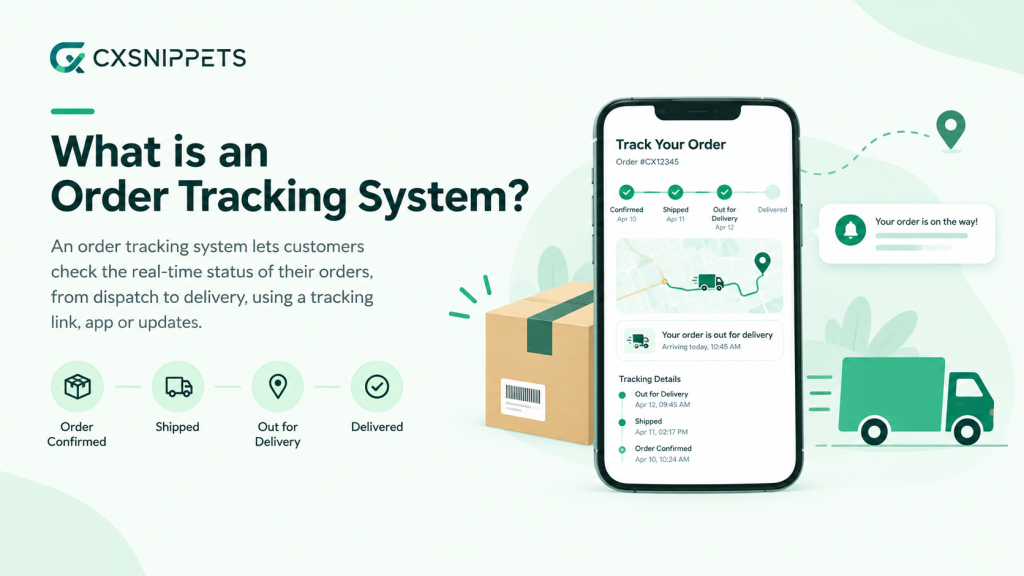
Furthermore, the shipping tracking process keeps everyone on the same page and removes chaos between the buyers and sellers.
With the festive season approaching, especially amidst the BFCM rush, keeping track of delivery status is something that customers consider to be their top priority. An order tracking system informs customers and website owners about the order status from start to end. In this manner, customers can regularly check the order status, when it is arriving, delays, etc. Hence, it ensures the smooth delivery of products.
Order tracking includes shipping status tracking, tracking numbers, estimated delivery dates, etc. Also, it saves time by automating the entire order tracking process.
5 Ways an Order Tracking System Reduces BFCM Support Load
Black Friday Cyber Monday (BFCM) is considered to be the peak festive season. Shoppers are busy purchasing last-minute Christmas gifts, and some are also busy making the most out of the available discounts. But there is definitely one sector of individuals who are massively overwhelmed by the spike in order volumes—the Customer Support Team.
Yes, they are also busy answering the “Where Is My Order?” WISMO tickets.
Did you know that up to 50% of customer service inquiries are typically WISMO calls?
This is where an order tracking system sweeps in to save the day.
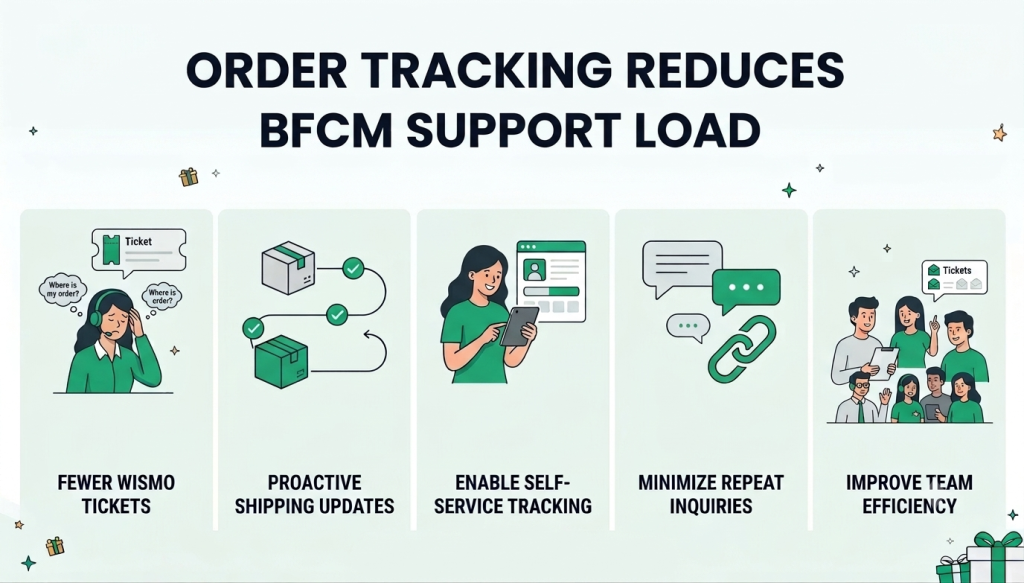
1. Reduce “Where Is My Order?” Queries
During BFCM, the sudden increase in order volume naturally leads to a surge in customers asking about their shipment status. Without an easy way to access this information, customers often turn to support for simple updates such as whether their order has been shipped, where it is currently in transit, or when it is expected to arrive.
An order tracking system gives customers visibility into their shipment progress, allowing them to find these answers themselves without raising a support request.
Support Impact: Fewer repetitive order-status queries reaching your support team.
2. Keep Customers Updated Throughout the Delivery Journey
Placing an order is only the beginning of the customer journey, especially during BFCM when delivery timelines can become more unpredictable due to higher order volumes.
Keeping customers informed as their order moves through different stages helps set realistic expectations and reduces the uncertainty that often leads to increased support queries. When customers can see meaningful updates about their shipment, they are less likely to reach out simply because they have not heard anything after placing their order.
Support Impact: Fewer follow-ups caused by customers being unsure about their order’s progress.
3. Give Customers a Self-Service Tracking Option
Your support team should not have to become the primary source of information for routine shipment updates during your busiest sales period. A self-service order tracking system allows customers to access their order information whenever they need it, without waiting for an agent to respond. This becomes particularly valuable during BFCM, when even a small increase in repetitive queries can quickly overwhelm a support team handling a much larger customer base.
Support Impact: Customers get immediate access to routine information while support agents have more time for issues that genuinely need assistance.
4. Minimize Repeated Delivery Follow-Ups
A single shipment-related concern can easily turn into multiple support interactions when customers have no visibility into what is happening with their order. For example, a customer may first ask whether an order has shipped and then follow up again to ask about its location or expected delivery date. Providing accessible tracking information keeps customers informed as the shipment progresses, reducing the need for them to repeatedly contact support for updates on the same order.
Support Impact: Fewer duplicate conversations and less time spent answering the same delivery questions.
5. Handle the BFCM Surge in Support Queries More Efficiently
The post-purchase rush can put just as much pressure on your support team as the initial BFCM sales rush. As more orders are placed, the number of delivery-related questions can rise alongside them.
An order tracking system helps absorb a significant portion of these routine queries by giving customers access to shipment information without requiring agent intervention. This allows your support team to manage a higher volume of customers without letting repetitive tracking requests consume their time.
Support Impact: A more manageable support workload, even when order and query volumes spike during BFCM.
Quick Workflow of an Order Tracking System
Now that our readers already know how an order tracking system solves the increased workload for the customer support team, it’s time to understand the workflow of the order tracking system.
The Five Stages of the Order Tracking Process:
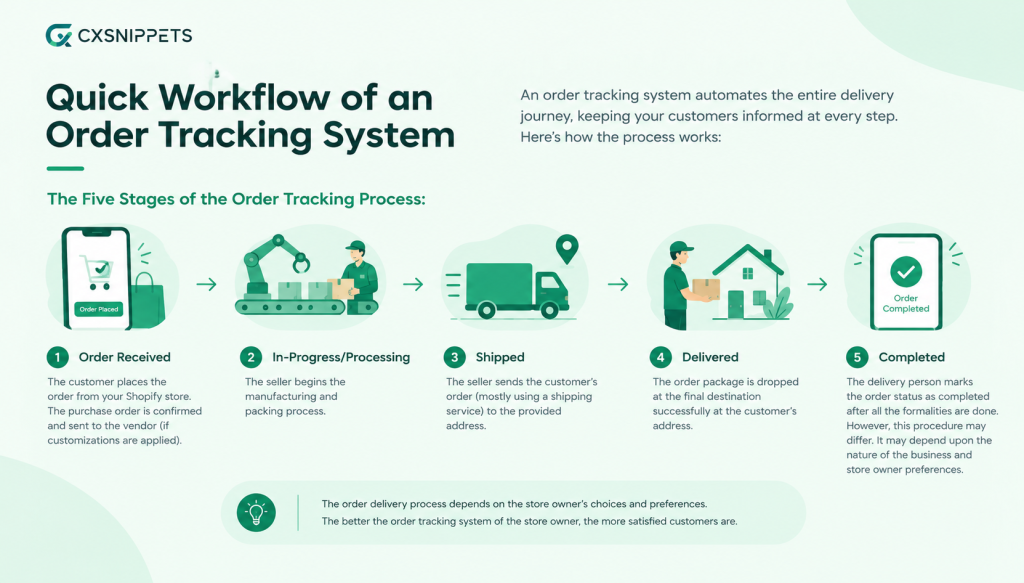
- Order Received: The customer places the order from your Shopify store. The purchase order is confirmed and sent to the vendor (if customizations are applied).
- In-Progress/Processing: The seller begins the manufacturing and packing process.
- Shipped: The seller sends the customer’s order (mostly using a shipping service) to the provided address.
- Delivered: The order package is dropped at the final destination successfully at the customer’s address.
- Completed: The delivery person marks the order status as completed after all the formalities are done. However, this procedure may differ. It may depend upon the nature of the business and store owner preferences.
Actually, the order delivery process depends on the store owner’s choices and preferences. The better the order tracking system of the store owner, the more satisfied customers are.
How Can CXS Order Tracker Help?
Remember we spoke about a surprise element in the beginning of the article. Consider this our BFCM gift to you!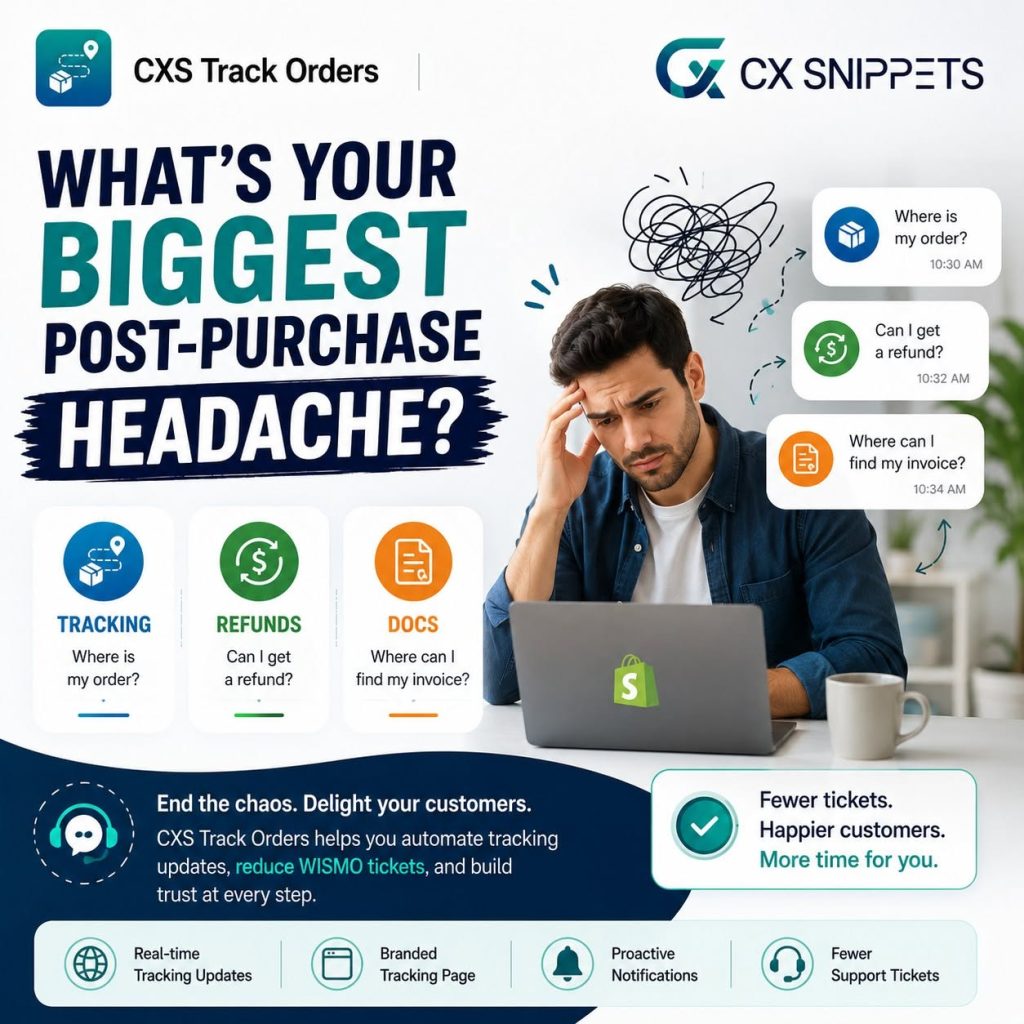
CXS Order Tracker is a complete order tracking solution with branding, email automation, and analytics. Black Friday Cyber Monday (BFCM) brings a massive spike in orders, but it also brings a surge in post-purchase questions about shipments, delivery status, and expected arrival times. Order tracking is essential for your business growth, especially during the busy hours of the festive season. But you need to implement a purchase order tracking system that provides a better post-purchase experience. This can even be a huge, profitable marketing channel for your business.
Here are some practical ways you can put the CXS Track Orders into action today-
- Customize Your Tracking Page: Create a tracking page that fits your store’s branding and style. During the festive season, you can add festive elements as well. Easily update the design, change the URL, and adjust the content so customers get a consistent experience while tracking their orders.
- Shipment Table for Easy Management: We have something in store for store owners as well. During the festive rush, when managing a high volume of order deliveries becomes a nightmare, manage all your shipments from one place with a clear and organized table so you can quickly check key details like order ID, tracking number, carrier, last update, and more. This helps you stay organized as your order volume grows.
- Flexible Email Notification Settings: Decide when and how customers receive tracking emails, choose specific events to trigger notifications, and customize email subjects and content using dynamic details like order and shipment info.
Ready to Reduce “Where Is My Order?” Tickets?
This order tracking system gives your customers a smooth post-purchase experience with real-time order tracking. It also allows shoppers to easily check their shipment status, view delivery updates, and stay informed about their orders without contacting support. This helps reduce customer queries, builds trust, and keeps buyers confident about their purchase from your store.
A Quick Glance at BFCM Tracking Solutions
| What Happens During BFCM? | How Can CXS Tracker Orders Help? | How Does It Work? |
|---|---|---|
| Order volumes surge, increasing tracking questions. | Real-Time Order Tracking | Customers can check their order status themselves. |
| Customers repeatedly ask about delivery progress. | Automated Tracking Notifications | Customers receive updates without contacting support. |
| Agents spend time answering basic tracking questions. | Self-Service Tracking Page | Customers get tracking information without agent assistance. |
| Thousands of shipments make order lookups time-consuming. | Centralized Shipment Table | Teams can find shipment details quickly in one place. |
| Delays or limited updates create delivery uncertainty. | Shipment Status Updates | Customers get clearer visibility into their shipment. |
| Routine BFCM queries take attention away from critical issues. | Tracking Emails & Self-Service Updates | Routine queries are reduced, freeing agents for complex cases. |
Order Tracking System – A Boon to Reducing BFCM Support Load
Having an order-tracking system helps you reduce the customer support load, but it does something else, too. It provides a better shopping experience for buyers and regularly updates them on order status. This increases customers’ purchasing frequency and improves retention rates.
Order tracking within a Shopify store is a game-changer, offering a multitude of benefits to both businesses and their customers. When BFCM orders come charging in, let CXS Track Orders be the knight in shining armour that keeps your support load under control.
Frequently Asked Questions
1. How do I track my Order?
Customers can easily track their orders through in-house order-tracking systems incorporated by businesses, or simply by clicking on the tracking links shared by brands.
2. What is an order tracking system?
An Order tracking system allows you to view the real-time status of purchase orders. Customers can track and monitor orders that are placed online. It notifies the store owners and product buyers about the order’s current status.
3. What are the types of tracking systems?
Tracking systems can be categorized into order, shipment, inventory, and delivery tracking systems. For online businesses, shipment and order-tracking systems are primarily used to reduce customer queries.
4. What is the best order tracking software?
CXS Order Tracker is a complete order tracking solution with branding, email automation, and analytics. Black Friday Cyber Monday (BFCM) brings a massive spike in orders, but it also brings a surge in post-purchase questions about shipments, delivery status, and expected arrival times.
About the Author: Muskaan Sabarwal

