

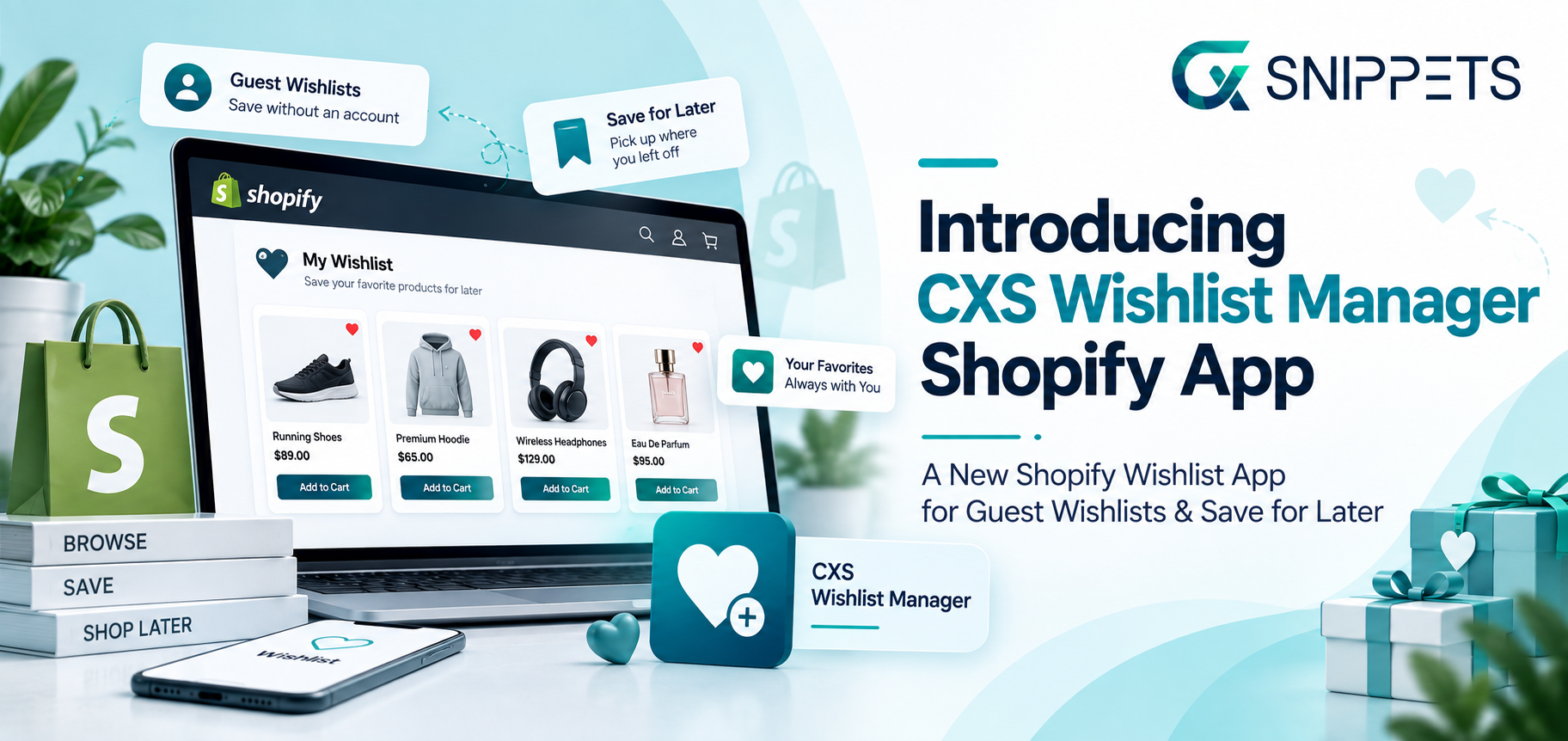
We’re excited to announce that CXS Wishlist Manager, a new Shopify wishlist app, is officially live on the Shopify App Store, giving Shopify merchants a simple, ready-to-install way to add wishlist functionality to their stores.
Not every shopper who visits your store is ready to buy. Some are comparing products, waiting for payday, or just want to save the product before deciding.
Until now, those shoppers had no easy way to hold onto the products they cared about, they had to bookmark a page, screenshot an item, or simply hope they’d remember to come back. Too often, they didn’t.
CXS Wishlist Manager fixes that. As a Shopify wishlist app, it’s built around a simple idea: a shopper’s interest in a product shouldn’t disappear just because they weren’t ready to check out on their first visit.
This launch has been months in the making. We wanted to build more than a basic “add to wishlist” button, we wanted a full-featured Shopify wishlist app that helps merchants capture interest at every stage of the shopping journey, from a guest’s very first visit to a returning customer sharing their list with a friend.
What we’re releasing today is the result of that work, and it’s available to install right now.
Why We Built CXS Wishlist Manager
We kept hearing the same thing from merchants: shoppers were browsing, adding items to cart, then leaving, not because they didn’t want the product, but because they weren’t ready to commit yet.
Research from the Baymard Institute backs this up, a large share of cart abandonment is simply shoppers browsing, comparing, or saving items for later, not rejecting the product itself.
At the same time, usability research from the Nielsen Norman Group has long shown that shoppers want a low-friction way to save items without being forced to commit to a purchase or register an account on the spot. That’s exactly the gap a well-built Shopify wishlist app is designed to close.

We also noticed a pattern across the merchants we spoke with: the stores losing the least interest weren’t necessarily the ones with the flashiest discounts, they were the ones giving shoppers somewhere to put their “maybe later” the moment they felt it.
A shopper who is still deciding what to buy needs a place to keep the products they like, so they can continue their shopping journey later without starting the search over from scratch. Without that, some of them simply won’t come back at all.
So rather than treating “save for later” as a nice-to-have feature, we built CXS Wishlist Manager as a core part of the buying journey, one that works for guests and logged-in customers alike, and one that actively brings shoppers back instead of just quietly holding their saved items.
What’s Included in CXS Wishlist Manager
This isn’t just a heart icon bolted onto your product pages.
Here’s everything merchants get on launch day:
- Guest wishlists: Shoppers can save products without creating an account first. Baymard’s checkout research has consistently found forced account creation to be one of the more common friction points in ecommerce, so we made account creation optional from day one. First-time visitors can start saving products immediately, and decide later whether they want to register.
- Save for later: Give customers an easy way to move products out of their cart without losing them, so a crowded cart doesn’t stand between a shopper and a future purchase. This is especially useful for shoppers who add several items while browsing but aren’t ready to check out on all of them at once.
- Flexible wishlist placement: Add wishlist functionality across product pages, collections, quick views, and the cart, wherever your shoppers are browsing. You’re not limited to a single entry point; shoppers can save a product the moment they see it, no matter where they are in your store.
- Multiple wishlists: Let shoppers organize saved products into different lists, whether that’s gifts, future purchases, or different occasions. This is particularly handy heading into gifting seasons, when a shopper might be keeping separate lists for different people.
- Product alerts: Notify shoppers automatically about restocks, price drops, and low-stock products, so a saved item can turn into a completed sale the moment it becomes relevant again. Rather than relying on shoppers to remember to check back, the app does the reminding for them.
- Wishlist sharing: Customers can share their saved products using links or scannable QR codes, useful if your products are commonly purchased as gifts or discussed with others. A shared wishlist can also introduce your store to someone who has never visited it before.
- Storefront widgets: Place wishlist functionality wherever it makes sense for your store and shopping experience, with the flexibility to match your existing design rather than feeling like a bolted-on feature.
- Analytics visibility: Behind the scenes, wishlist activity gives you a clearer picture of which products shoppers are interested in, even when they don’t buy right away, insight you can use for merchandising, restocking, or future campaigns.
Taken together, these features are what separate a genuinely useful Shopify wishlist app from a simple save button.
Try It Today
Who This Is For
CXS Wishlist Manager is especially useful for stores selling products that require more consideration than fashion, electronics, furniture, or higher-priced items, where shoppers are more likely to compare, pause, and come back. If that sounds like your store, a Shopify wishlist app gives those shoppers somewhere to put their interest instead of losing it.
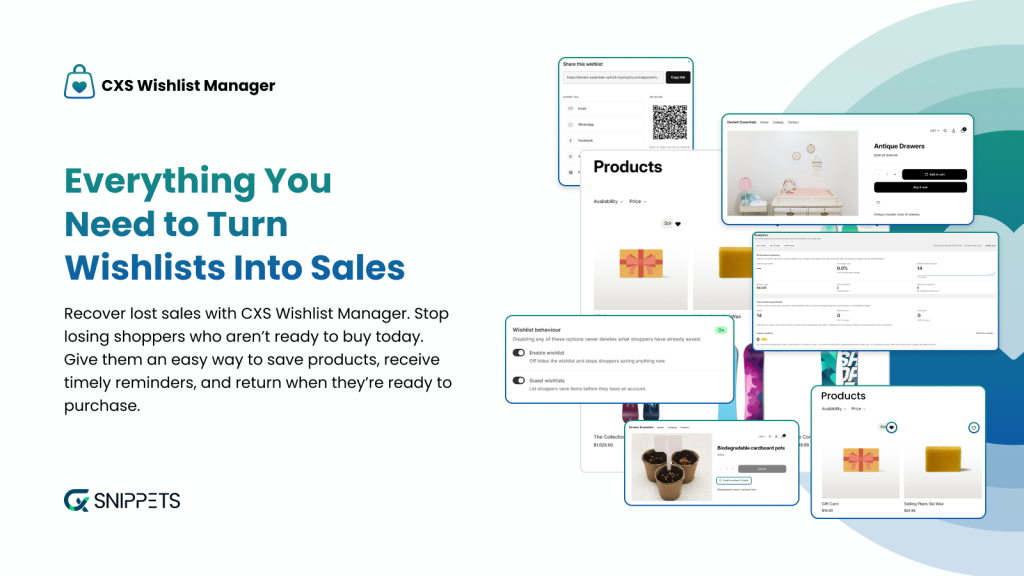
It also matters for merchant-side visibility. When a shopper leaves without buying, you typically lose track of what caught their attention. A wishlist changes that, it gives shoppers a way to signal exactly which products they care about, and gives you a direct channel (via product alerts) to bring them back when the timing is right.
What Makes This Different From a Basic Wishlist Button?
A lot of wishlist tools stop at letting a shopper click a heart icon. We wanted CXS Wishlist Manager to do more than store a list, we wanted it to actively work on the merchant’s behalf. That’s why product alerts, sharing, and multiple wishlists all ship as part of the core app rather than being locked behind add-ons you have to hunt for. A saved product should be something you can act on, not just something that sits quietly in the background.

We also paid close attention to where the wishlist actually lives in the shopping experience. It’s easy to add a wishlist button to a product page and call it done, but shoppers discover products in collections, quick views, and even mid-checkout when they’re deciding what to move out of their cart.
Flexible placement was a requirement from the start, not an afterthought, because that’s what separates a genuine Shopify wishlist app from a single, isolated feature.
What’s Next?
This is a first release, and we’re already working on what comes after it. Based on early merchant feedback, upcoming updates will focus on deeper analytics for wishlist activity, more customization options for storefront widgets, and expanded integrations with email marketing and automation tools.

If there’s a feature you’d like to see, we want to hear about it. Feedback from merchants using the app in real stores is what will shape where this Shopify wishlist app goes next.
Getting Started
Setup is designed to be quick:
- Install the app from the Shopify App Store and follow the guided setup.
- Configure your wishlist settings, turn on guest wishlists, multiple lists, save-for-later, product alerts, and sharing as needed.
- Add wishlist buttons and widgets to your product pages, collections, quick views, and cart.
- Customize the appearance so it fits naturally into your existing storefront experience.
- Test it as a shopper, try saving products as both a guest and a logged-in customer, and confirm alerts and sharing work as expected.
Once that’s done, your store is ready to give shoppers an easy way to hold onto the products they want and come back when they’re ready to buy.
If you’re looking for other ways to keep shoppers engaged after they save an item through loyalty and rewards, take a look at our Complete Guide to Shopify Loyalty Programs, or if you’re planning ahead for gift-driven shopping seasons, check out our Ultimate Holiday Marketing Strategies Checklist.
We built CXS Wishlist Manager because we believe interest shouldn’t be lost just because a shopper wasn’t ready to buy today. We can’t wait to see how you use it.
FAQs
How do I add CXS Wishlist Manager to my Shopify store?
Install it from the Shopify App Store, configure your wishlist settings, add wishlist buttons to your storefront, and test the experience as both a guest and logged-in customer.
Does CXS Wishlist Manager support guest wishlists?
Yes. Shoppers can save products without creating an account, reducing friction for first-time visitors.
Can customers organize saved products into multiple lists?
Yes, shoppers can create separate lists for gifts, future purchases, or any other category that makes sense for them.
Will shoppers be notified about price drops or restocks?
Yes. CXS Wishlist Manager includes built-in product alerts for restocks, price drops, and low-stock items.
Where can shoppers save products from?
Product pages, collections, quick views, and the cart, wherever wishlist buttons and widgets are placed on your storefront.
Can shoppers share their wishlist with someone else?
Yes. Wishlists can be shared via a link or a scannable QR code, which is especially useful for gift shopping.
Is this Shopify wishlist app available now?
Yes, CXS Wishlist Manager is live on the Shopify App Store today and ready to install.
About the Author: Mohd Talib

