

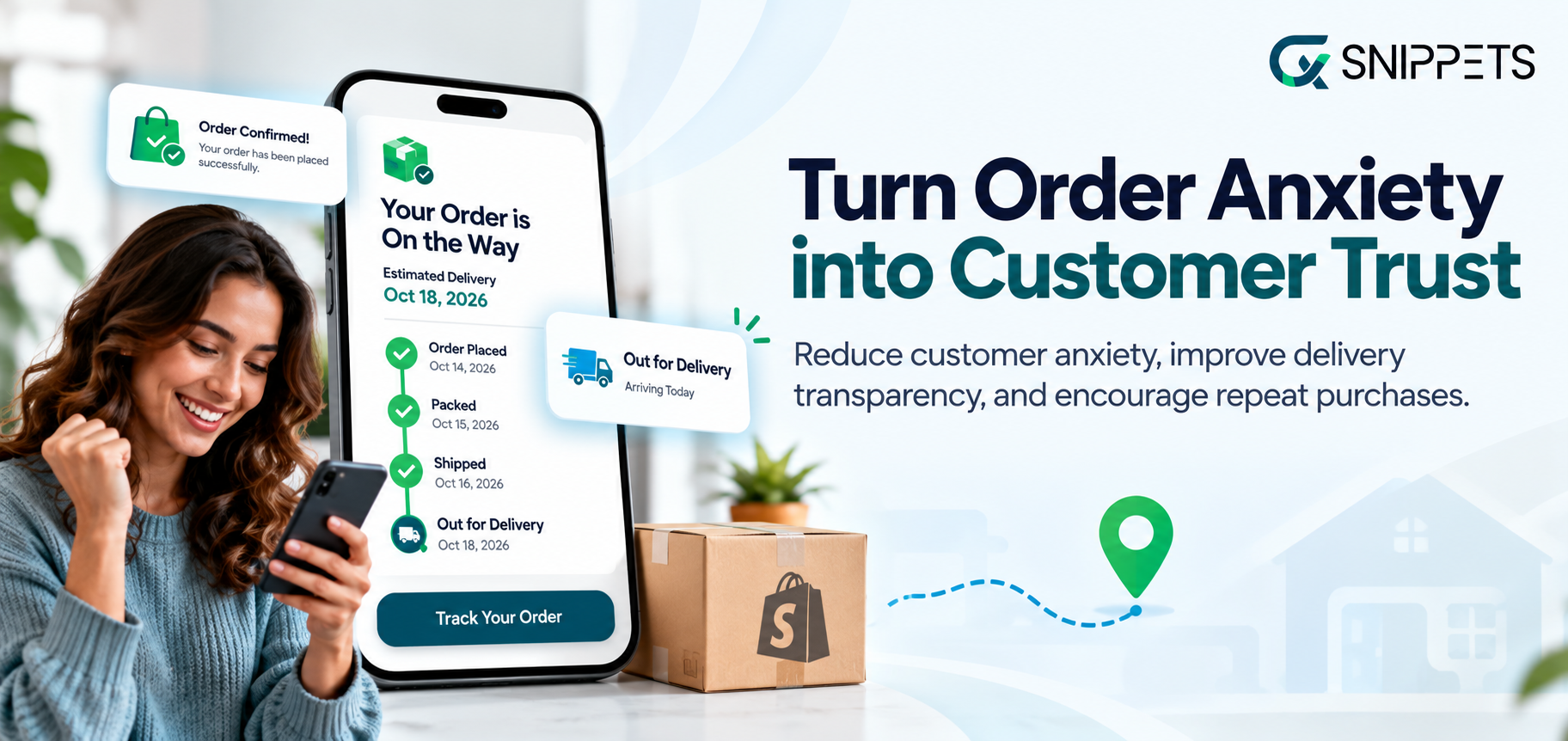
It’s mid-November. A customer buys a gift from your store, gets an order confirmation, and then hears nothing. Day three, still nothing.
Day five, they’re refreshing their inbox, checking the carrier site, and typing “where is my order?” into your contact form.
That feeling is order anxiety, and it’s one of the most overlooked reasons customers don’t come back.
The product might be great and the delivery might even arrive on time, but if the customer spent a week worrying about it, they won’t remember the product.
They’ll remember the stress.
During the holiday season, this gets worse. Gift deadlines are fixed, carriers are overloaded, and shoppers have little patience for silence. Many merchants only notice when support tickets pile up or repeat purchases drop in January.
The good news is that order anxiety is fixable, and a Shopify order tracking app is the simplest way to do it.
In This Blog, We Will Talk About…
- What Is Order Anxiety (and Why Your Shopify Order Tracking App Matters)
- Why Order Anxiety Gets Worse During the Holiday Season
- How Order Anxiety Kills Your Repeat Purchases
- 5 Signs Your Shopify Store Needs an Order Tracking App
- The Fix: How a Shopify Order Tracking App Reduces Order Anxiety
- CXS Order Tracking App by CXSnippets: The Shopify Order Tracking App Built for Holiday Season
- Holiday Checklist: Setting Up Your Shopify Order Tracking App
- Final Words
- Frequently Asked Questions
(Jump to the section that interests you the most!)
What Is Order Anxiety (and Why Your Shopify Order Tracking App Matters)
Order anxiety is the stress a customer feels between clicking “Buy” and holding the package in their hands.
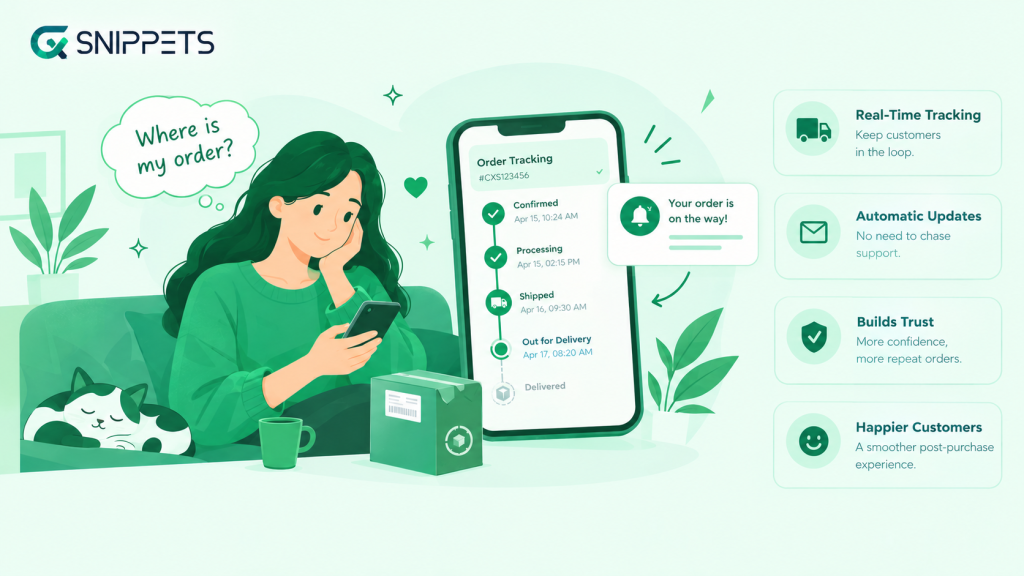
It doesn’t show up in your analytics, and most customers will never tell you about it. They just feel it, and it shapes whether they ever shop with you again.
The “Where’s My Order?” Feeling, Defined
Order anxiety starts the moment payment goes through. The customer has handed over money and has nothing in return yet except a confirmation email. If that email is the last thing they hear from you, the questions start:
- Has my order actually been shipped?
- Will it arrive before the gift deadline?
- Did something go wrong and nobody told me?
- Who do I even ask?
None of this is irrational. Shopping online means paying first and trusting later. When there’s no visibility, customers fill the gap with worry, and worry quickly turns into action: refreshing the carrier site, emailing support, or opening a chargeback.
Why Order Anxiety Isn’t a Shipping Problem, It’s a Trust Problem
Most merchants assume the cure for order anxiety is faster shipping. It helps, but it’s not the real fix. A package that arrives in 4 days with clear updates feels safer than one that arrives in 3 days with silence.
What customers want is certainty. They want to know where the order is, what happens next, and what to expect if there’s a delay. When that’s missing, the customer’s trust in your store takes a hit, even if the delivery itself goes fine.
That’s also why a plain tracking number in a confirmation email isn’t enough. It sends the customer to a carrier’s generic page, which is cluttered, confusing, and has nothing to do with your brand. They leave your store at the exact moment they most need reassurance from you.
This is where a Shopify order tracking app comes in. It keeps the post-purchase experience inside your brand, with a clear tracking page, automatic updates, and proactive messages, so customers don’t have to chase you for answers.
Later in this post, we’ll look at how the CXS Order Tracking App by CXSnippets handles this.
Why Order Anxiety Gets Worse During the Holiday Season
Order anxiety exists all year, but the holiday season turns it up. Shoppers are buying more, carriers are handling more, and the stakes on every order are higher.
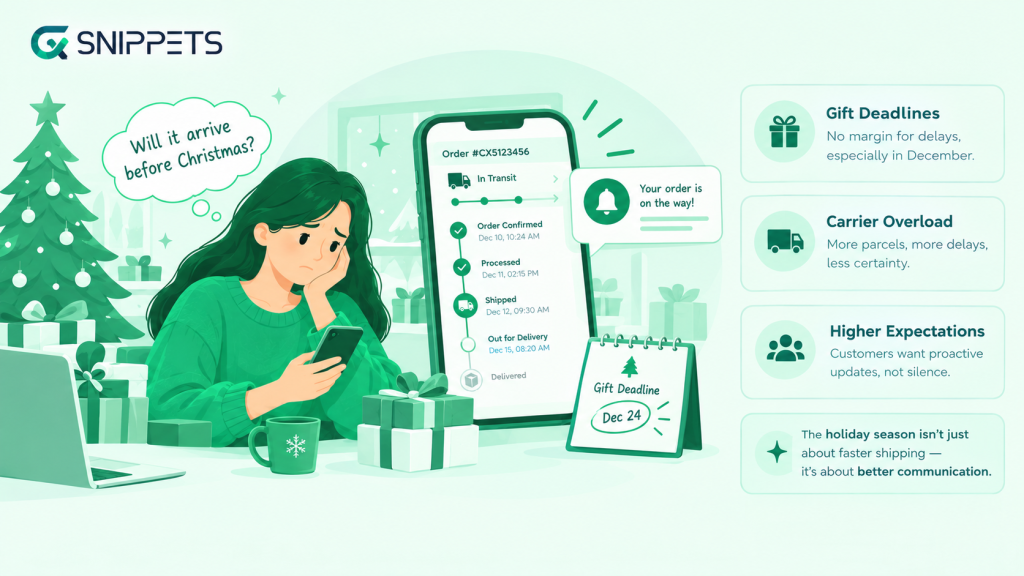
A late package in March is an annoyance. A late package in December can ruin a gift, and the customer will remember who was responsible.
Gift Deadlines and Zero Margin for Delays
Most holiday orders aren’t for the customer. They’re for someone else, with a date attached: a birthday party, a family dinner, Christmas morning. That changes how waiting feels. A delay no longer means “my order is late.” It means “I might let someone down.”
The numbers show how much this matters: 75% of consumers say delivery delays hurt their holiday experience.
This is why holiday customers behave differently:
- They check tracking more often, because every day now counts.
- They have no flexibility to wait a few extra days and see what happens.
- They contact support earlier, often before the order has even shipped.
When the only update they’ve received is a confirmation email, that pressure has nowhere to go. They start asking questions, and if your store can’t answer quickly, they assume the worst.
Carrier Overload and Peak-Season Shipping Delays
From November through early January, carriers handle far more parcels than usual. Even well-run networks slow down, and the customer sees the symptoms without ever seeing the cause:
- Tracking that sits on “in transit” for days with no movement
- Packages delayed at sorting hubs or missed delivery attempts
- Weather disruptions stacking on top of high shipping volumes
- Vague status messages that don’t explain what’s actually happening
Many carriers also suspend their money-back guarantees during peak season, so even premium shipping comes with less certainty than customers assume. Often the package is fine and simply moving slowly. But a customer staring at a tracking page that hasn’t changed in three days can’t tell the difference between “slow” and “lost.”
Here’s the catch for merchants: none of this is within your control, but the customer holds you responsible, not the carrier. They bought from your store, so your store gets the blame. The only thing you can control is how well you communicate while the delay is happening.
Higher Customer Expectations After Black Friday and Cyber Monday
Holiday shoppers are also more demanding than usual. They’ve placed multiple orders from multiple stores in a few weeks, and they compare experiences. If one brand sends clear, timely updates and yours goes quiet, yours looks careless by comparison.
Expectations have shifted, and proactive communication is now the baseline: 94% of consumers want retailers to tell them about delays without having to ask.
In practice, that means customers expect:
- A tracking link as soon as the order ships
- Updates at each milestone without having to ask
- A warning about delays before they discover them on their own
Merchants who meet these expectations stand out in a crowded season. Merchants who don’t see a spike in “where is my order?” emails, and a quieter, more costly problem afterward: customers who never come back. That’s what we’ll look at next.
How Order Anxiety Kills Your Repeat Purchases
Order anxiety doesn’t cost you the sale. The customer already paid. It costs you the second sale, which is where most of your profit comes from.
The Silent Churn: Customers Who Never Complain, They Just Leave
Most anxious customers never contact you. They wait, worry, and quietly decide not to shop with you again. Even if the package arrives on time, the memory they take away is “that store made me nervous.” You’ll never see this in your inbox, only in a repeat purchase rate that looks lower than it should.
The WISMO Flood: How “Where Is My Order?” Tickets Drain Your Support Team
The customers who do speak up all ask the same thing. WISMO (“Where Is My Order?”) often makes up a fifth or more of total support contacts, and it spikes during the holidays. These tickets are simple to answer but impossible to ignore, and they bury the issues that actually need your team’s attention, like returns, damaged items, and real problems.
Bad Post-Purchase Experience Means No Second Order
Customers judge your store by the whole experience, not just the product. Slow replies, vague tracking, and silence during a delay all feed the feeling that the brand can’t be trusted with the next order. Tracking itself is a deciding factor: 24.2% of European shoppers say they wouldn’t reorder from a store without reliable tracking.
The Real Cost: Lost Lifetime Value, Chargebacks, and Negative Reviews
The damage adds up quickly:
- Lost lifetime value: every customer who doesn’t return is revenue you paid to acquire and never earned back
- Chargebacks: anxious customers sometimes dispute a payment on an order that’s still in transit
- Negative reviews: “no updates” and “no communication” show up in public, and they put off future buyers
The good news is that all of this comes from one fixable problem: customers not knowing what’s happening with their order. Before we get to the fix, let’s check whether it’s already happening in your store.
5 Signs Your Shopify Store Needs an Order Tracking App
You don’t need a survey to know if order anxiety is hurting your store. The signs are usually already in your inbox, your reviews, and your repeat purchase numbers.
Rising WISMO Tickets and Emails
If “Where is my order?” is the most common message in your support inbox, customers don’t have a way to check for themselves. Every one of those emails is a customer who couldn’t find an answer on their own.
Customers Contacting You Before the Order Ships
Some customers email within hours of paying, asking when their order will ship. That means your confirmation email isn’t setting expectations, and they’re worried before the order has even left your warehouse.
Low Repeat Purchase Rate After Q4
Holiday sales look great, but January tells the real story. If most of your November and December buyers never return, a poor post-purchase experience may be part of the reason.
Reviews Mentioning “No Updates” or “No Communication”
Even happy customers will mention it in a review if they were left in the dark. If these phrases keep showing up, shoppers are seeing them too, and they’re hesitating before buying.
Refund or Chargeback Requests on Orders Still in Transit
When customers ask for a refund on a package that’s still on its way, it’s usually not because they changed their mind. They stopped trusting that it would arrive.
If two or more of these sound familiar, it’s time to fix it. Next, let’s look at how a Shopify order tracking app does that.
The Fix: How a Shopify Order Tracking App Reduces Order Anxiety
Order anxiety comes from one thing: not knowing. The fix is to remove the guesswork, so customers can see where their order is and what happens next, without having to ask you.
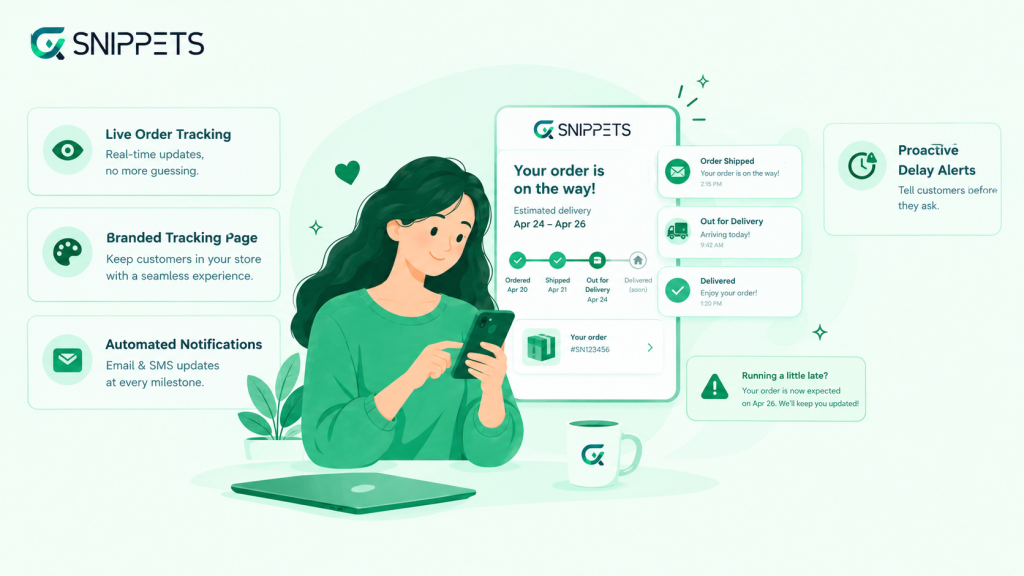
A Shopify order tracking app does this automatically, even during your busiest weeks.
Why a Tracking Number Alone Isn’t Enough
A tracking number in a confirmation email feels like enough, but it puts the work on the customer. They have to copy it, find the right carrier website, paste it in, and make sense of status codes like “in transit” or “arrived at facility.” If the page is confusing or hasn’t updated, they come back to you with questions.
Customers don’t want a number. They want an answer to “Is my order okay?”
Branded Tracking Page vs. the Carrier’s Generic Page
A carrier’s page sends customers away from your store at the moment they most need reassurance. It’s cluttered, it carries someone else’s branding, and you have no say in what it shows.
A branded tracking page keeps them in your store. It shows the status in plain language, matches your look and feel, and gives you space to add helpful details like estimated delivery dates or a link to contact support. It also turns a worried moment into a chance to build trust.
Automated Shipping Notifications at Every Milestone
Customers feel calmer when they hear from you without having to ask. Automated email or SMS updates at each key step, such as order shipped, out for delivery, and delivered, mean there’s never a long stretch of silence. You set it up once, and every customer gets the same clear updates, whether you ship 10 orders a day or 1,000.
Proactive Delay Alerts: Tell Customers Before They Ask
Delays are going to happen, especially during the holidays. What matters is who tells the customer first. A short message saying “Your order is running a little late, here’s the new estimate” feels very different from a customer discovering the delay on their own.
Customers are far more forgiving when you’re honest early. Proactive alerts also cut down on the support tickets you’d otherwise get, so your team isn’t answering the same question over and over.
Together, these four things take care of order anxiety at its source. Next, let’s look at how the CXS Order Tracking App by CXSnippets brings them all together for
your store.
CXS Order Tracking: The Shopify Order Tracking App Built for Holiday Season
The holiday rush is the worst time to find out your post-purchase experience has gaps.
CXS Track Orders, from CXSnippets, is a Shopify order tracking app that gives customers a branded place to check their order, so they get answers from your store instead of a carrier’s page or a support ticket.
A Branded Tracking Page Inside Your Shopify Store
Customers get a dedicated tracking page on your storefront, not a redirect to a carrier website. You can customize the design, content, and page URL so it feels like part of your brand.
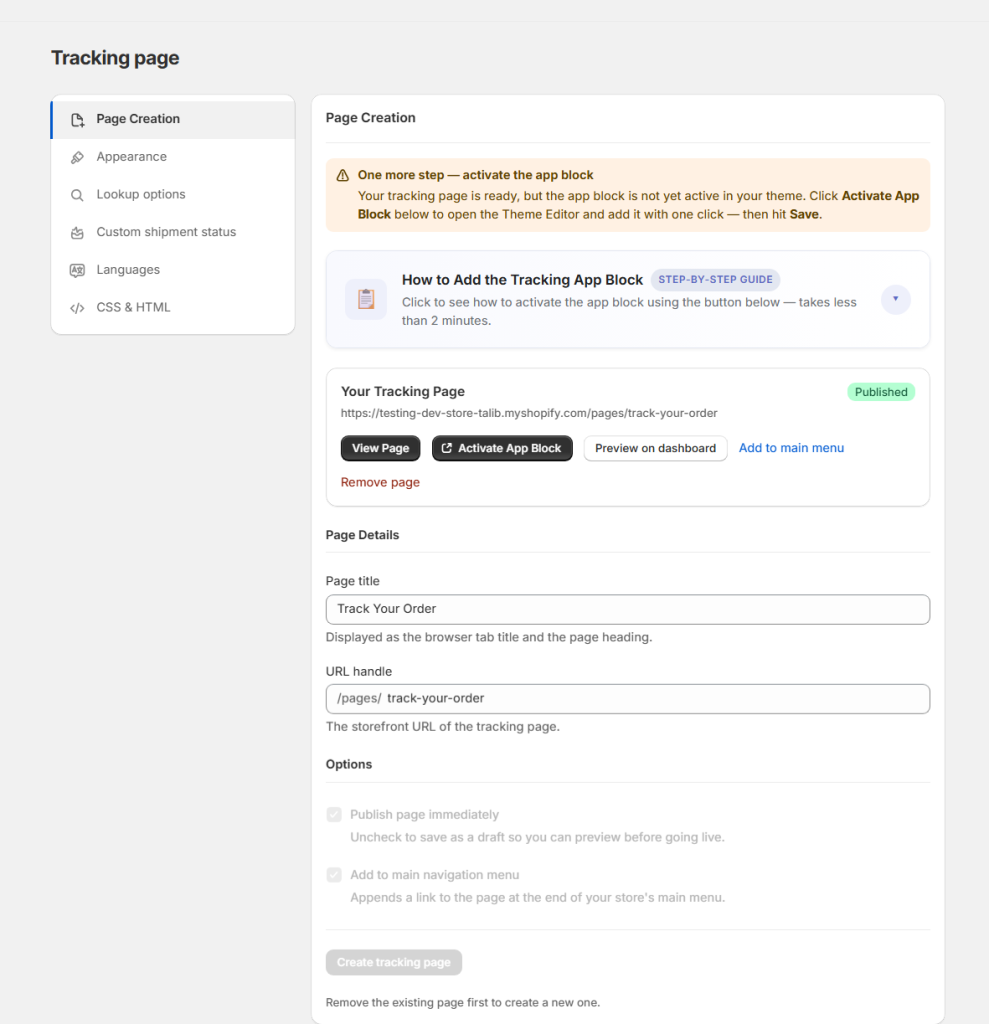
You can also add the page to your store navigation, so customers can find it without digging through emails.
Easy Order Lookup for Customers
Anxious customers don’t want to hunt for a tracking number. With CXS Track Orders, they can look up an order using either their order ID and email address or just the tracking number.
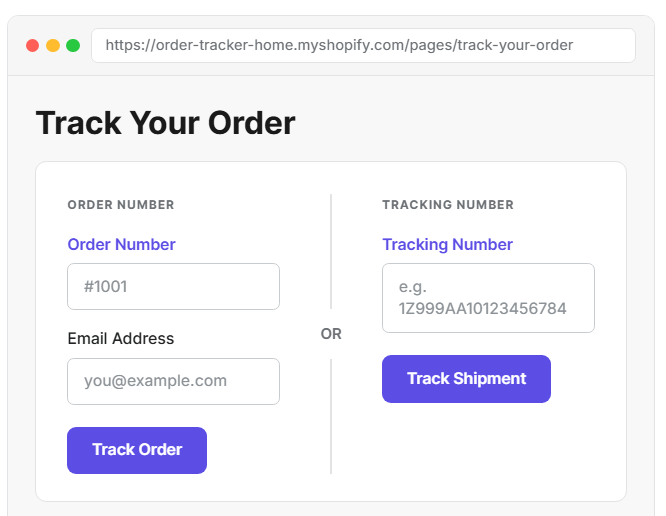
Either way, they see the latest status in seconds, with no login or support request needed.
Real-Time Updates Across Multiple Carriers
The app syncs your Shopify orders and shipment details automatically, then updates the tracking page as carriers report progress.
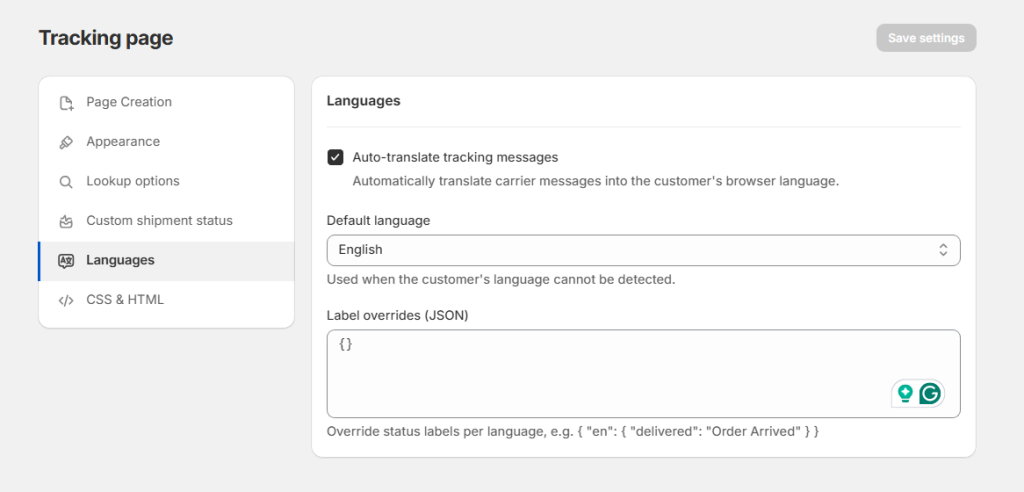
It supports multiple carriers, so customers get the same consistent experience whichever one delivers their package. Carrier updates can also be auto-translated into the customer’s language, which helps if you ship internationally.
Custom Shipment Statuses: Reassure Customers Before the Order Ships
Order anxiety often starts before the package leaves your warehouse. With custom shipment statuses like “Processing,” “Packing,” or “Ready to Ship,” customers can see progress during the stage where most stores go silent.
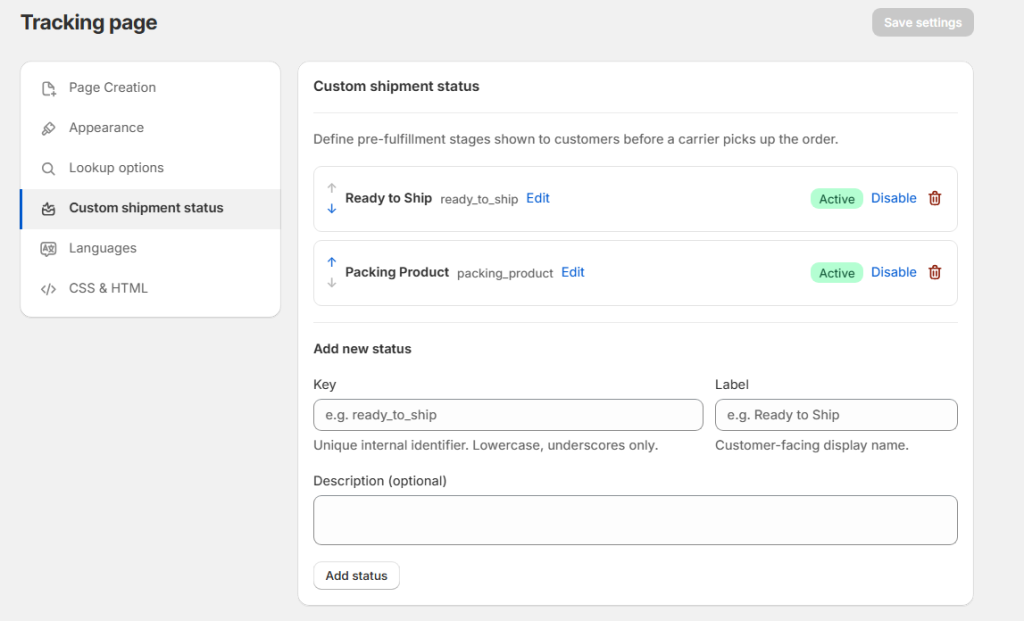
CXS Track Orders app also shows estimated delivery dates when carrier data is available, so customers know what to expect. Both features are available on paid plans.
Flexible Email Notifications
You choose which events trigger an email and customize the subject and content with order and shipment details.
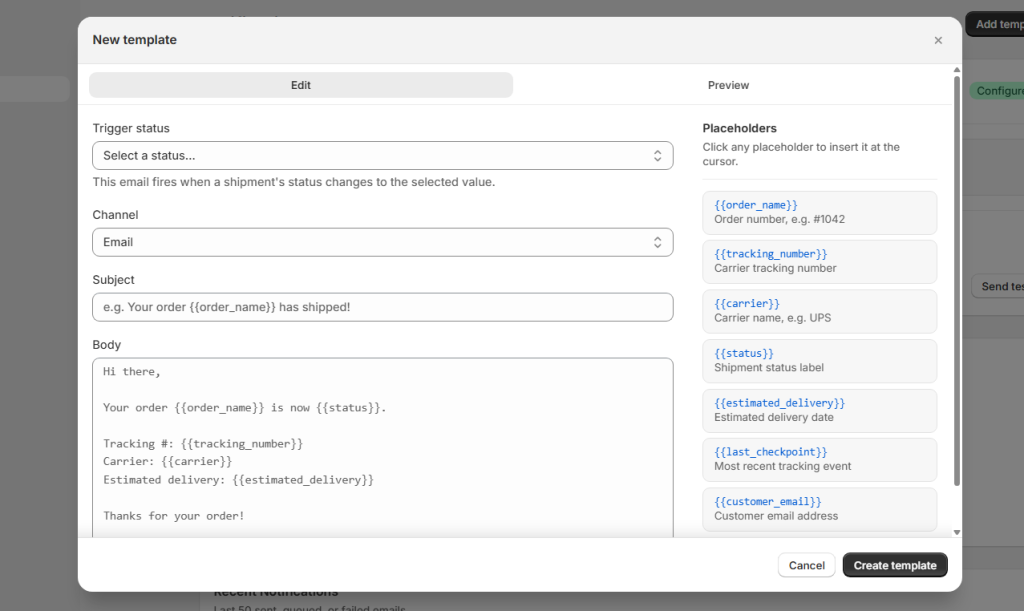
That means customers hear from you at the right moments, such as when their order ships or a status changes, without you sending anything manually. Email notification workflows are included even on the free plan.
Shipment Table and Analytics: Fewer Tickets, More Control
Everything lives in one shipment table, where you can see order ID, tracking number, carrier, last update, and more at a glance.
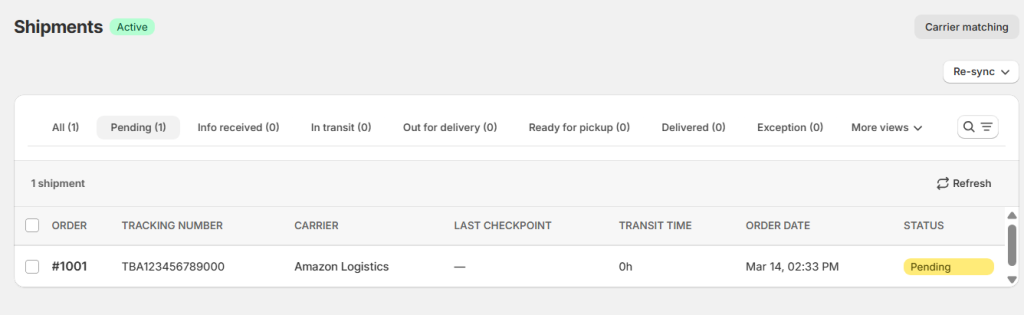
The analytics dashboard shows total shipments, delivery rate, transit time, and pending orders, so you can spot slow shipments during the rush instead of finding out from an angry email.
Start Free Before the Rush
You can set it up before peak season without a big commitment:
- Free: 30 orders/month, with a branded tracking page, real-time sync, email workflows, translation, and analytics
- Basic ($9/month): 300 orders/month, plus custom statuses, estimated delivery dates, and custom CSS/HTML
- Grow ($29/month): 2,000 orders/month
- Advanced ($49/month): 5,000 orders/month
Paid plans come with a 7-day free trial, and annual billing saves 25%.
Stop Order Anxiety Before It Starts
Holiday Checklist: Setting Up Your Shopify Order Tracking App
The holiday rush is easier when your tracking setup is ready before the orders start flooding in. Use this checklist to get CXS Track Orders working for you, from the week before peak season to the weeks after it.
Before the Rush: Set Up Tracking, Notifications, and Delay Messaging
Do this now, while things are calm:
- Install the app and check your order sync. Place a test order and confirm it shows up in the shipment table with the right carrier and tracking number.
- Customize your tracking page. Match your branding, and add the page to your store navigation so customers can find it easily.
- Set up custom shipment statuses. Add stages like “Packing” and “Ready to Ship” so customers see progress before the carrier takes over (paid plans).
- Turn on your email notifications. Pick the events that should trigger an email, and write the subject and content in your own voice.
- Add a tracking link to your confirmation emails and FAQ. Make “Where’s my order?” a question customers can answer themselves.
- Check your plan limits. Holiday volume can jump quickly, so make sure your order limit covers your expected peak.
During the Rush: Monitor Exceptions and Communicate Early
Once orders are flowing, focus on spotting problems before customers do:
- Check the analytics dashboard regularly. Watch pending orders and transit times for anything unusual.
- Review the shipment table for stalled orders. A package with no update for several days is one to look into early.
- Reach out to affected customers first. A short, honest message with a new estimate beats a customer finding out on their own.
- Update your shipping cutoff dates on your site. Clear deadlines stop last-minute orders from turning into missed gifts.
After the Rush: Follow Up and Bring Customers Back for Round Two
The season isn’t over when the last package lands. This is when you win the second order:
- Review your delivery performance. Look at delivery rate and transit time to see which carriers or routes caused problems.
- Check your support inbox for patterns. If customers still asked “Where is my order?” often, find out which part of your setup they missed.
- Follow up with your holiday customers. A thank-you message or a returning-customer offer in January shows that you care after the sale.
- Fix what didn’t work before next year. Adjust your statuses, emails, and carrier choices while the lessons are fresh.
Set this up once, and every order gets the same calm, clear experience, so your customers spend the holidays enjoying their gifts instead of worrying about them.
Final Thoughts: Calm Customers Come Back
Order anxiety is easy to miss because it’s quiet. Customers don’t complain, they just stop buying. During the holidays, when gift deadlines are tight and carriers are stretched, that silence can cost you the repeat purchases you worked hard to earn.
The fix doesn’t need a bigger support team or faster shipping. It needs visibility. When customers can see where their order is, what happens next, and what to expect if something slips, the worry goes away. And a customer who feels looked after is far more likely to come back for round two.
With the holidays close, there’s still time to get this in place. CXS Track Orders gives you a branded tracking page, real-time carrier updates, custom shipment statuses, and email notifications, and you can start on the free plan before the rush hits.
Install CXS Track Orders from the Shopify App Store and give your customers a holiday season without the worry.
Frequently Asked Questions
What is order anxiety in ecommerce?
Order anxiety is the stress customers feel between paying for an order and receiving it. When they don’t know where their package is or when it will arrive, they worry, check tracking repeatedly, and often contact support. It can also make them less likely to buy from your store again.
Why does order anxiety get worse during the holiday season?
Holiday orders are usually gifts with fixed deadlines, so a delay feels like a bigger problem. Carriers also handle far more parcels than usual, which leads to slower updates and more delays. Customers expect clear communication, and any silence from your store makes them assume the worst.
How does a Shopify order tracking app reduce order anxiety?
A Shopify order tracking app gives customers a branded page where they can check their order status without contacting you. With CXS Track Orders, customers can look up an order using their order ID and email or a tracking number, see real-time carrier updates, and receive automatic email notifications. This keeps them informed at every step and reduces “Where is my order?” tickets.
Is there a free Shopify order tracking app for small stores?
Yes. CXS Track Orders offers a free plan for up to 30 orders per month. It includes a branded storefront tracking page, real-time order sync, email notification workflows, auto-translation, and delivery analytics. Paid plans start at $9 per month and add custom shipment statuses, estimated delivery dates, and custom CSS and HTML for your tracking page.
About the Author: Mohd Talib

